Command line and AI assistant
Viktor is mainly a window with buttons — and it stays that way. This page is for people
who like the console, manage a computer remotely, or want to hook Viktor up to their AI
assistant. If none of that is you, feel free to skip it; you lose nothing.
The console version shares the whole core with the app: same rules, same safeguards,
same hole. It is not a „more powerful mode" — just a different way of driving the same thing.
Where to find it
You can also install Viktor straight from the command line, via winget:
winget install MichalFoist.ViktorTheCleaner
The installer puts a console Viktor next to the app, in the cli subfolder:
C:\Program Files\Viktor the Cleaner\cli\viktor.exe
They are two different programs sharing one core: Viktor.exe is the window with
buttons, cli\viktor.exe is the console. The subfolder is not a whim — Windows filenames
are case-insensitive, so side by side Viktor.exe and viktor.exe would overwrite each other.
It is not added to PATH, so run it by its full path, or step into the folder first:
cd "C:\Program Files\Viktor the Cleaner\cli"
.\viktor.exe --help
What it can do
viktor --help always prints the current overview. To give you an idea:
| Command | What it does |
|---|---|
viktor | cleanup preview: counts what could be safely freed. Deletes nothing |
viktor health | health check of the computer — score and findings. Read-only |
viktor clean | cleanup preview in more detail. Read-only |
viktor clean --yes | performs the cleanup; reversible things go to the hole |
viktor quarantine | what sits in the hole and how many days it has left |
viktor quarantine --restore all | puts everything back (instead of all you can pass an item number) |
viktor startup | programs that start with Windows |
viktor startup --disable "Name" | disables a startup entry; reversible via the hole. A Store app is refused — that one is switched off in Windows |
viktor diskmap | where the space went. Optionally a drive or folder |
Without --yes Viktor never deletes anything — viktor clean on its own is just a listing.
Two commands are the opposite, irreversible, and Viktor does not ask twice:
viktor quarantine --empty empties the hole right now, and viktor quarantine --purge
throws out whatever ran out of its 7-day window.
The rules apply exactly the same
- Cleanup goes to the hole: 7 days to undo, then it is deleted for good.
- Passwords, logins and documents are off the table — protected paths apply in the console too.
- Administrator is not required. Without it Viktor skips system targets and says so.
- Language follows Windows; the
VIKTOR_LANGvariable overrides it (cs,en,de,fr,es,pl).
Machine-readable output (--json)
--json can be added to any command: instead of a colourful listing you get one JSON
document and nothing else. Handy for scripts and monitoring.
.\viktor.exe health --json > health.json
The format is a stable contract, not an internal dump: sizes always in bytes, times in
ISO 8601, and a key that once shipped is never renamed or removed.
Viktor as a tool for your AI assistant (viktor mcp)
Viktor can be hooked up to an AI assistant you already use. You then ask about your own
computer in plain words — „where did my disk space go?" — and the answer stands on
Viktor's measured numbers instead of guesswork.
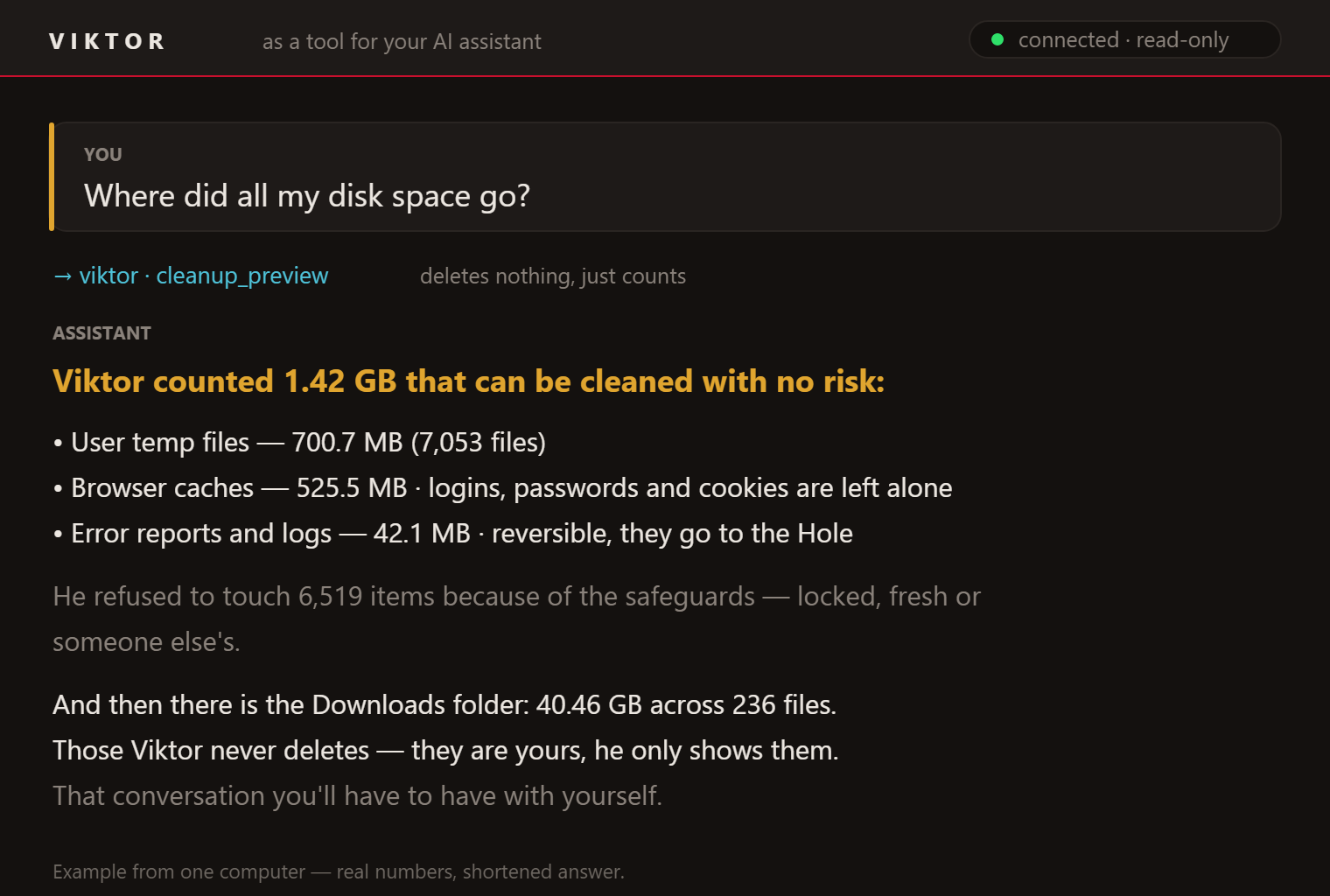
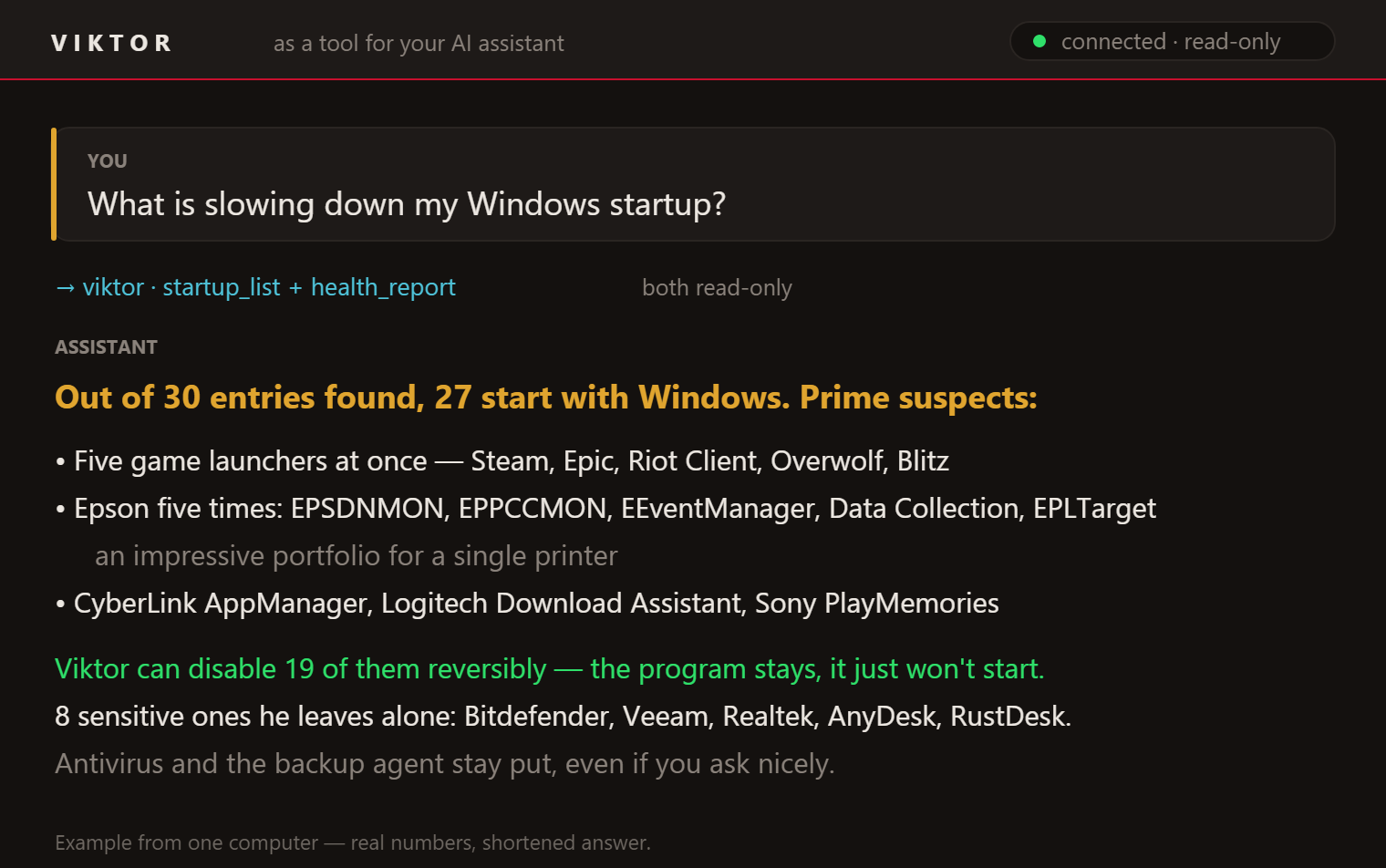
The numbers in the pictures are real, from one computer; the answers are shortened.
What you need
- Viktor installed (this guide assumes the default location).
- An assistant that speaks MCP. Below are steps for Claude Desktop and Claude Code.
There are four steps and the third one is the one everybody forgets — without restarting
the assistant, nothing at all happens.
Connecting Claude Desktop
1. In Claude Desktop open Settings → Developer → Edit Config. That opens (and creates,
if it isn't there yet) the file claude_desktop_config.json. It lives here:
%APPDATA%\Claude\claude_desktop_config.json
2. Put this inside. If the file already lists other helpers, add just the "viktor" lines
next to them — the curly braces have to stay balanced:
{ "mcpServers": {
    "viktor": {
      "command": "C:\\Program Files\\Viktor the Cleaner\\cli\\viktor.exe",
      "args": ["mcp"]
    } } }
The backslashes must be doubled, otherwise the file won't load.
3. Save the file and quit Claude Desktop completely, then start it again. Closing the
window is not enough.
4. Check that Viktor connected: at the bottom left of the message box click **Add files,
connectors, and more, then Connectors → Manage connectors. The list must show viktor**
and its tools underneath. Then just ask: „where did my disk space go?"
Connecting Claude Code
1. Run one command:
claude mcp add -s user viktor -- "C:\Program Files\Viktor the Cleaner\cli\viktor.exe" mcp
The -s user switch matters: without it Viktor is registered **only for the folder you ran the
command in**, and you won't have him anywhere else. With -s user you have him everywhere.
2. Quit Claude Code and start it again. The configuration is read at startup, so Viktor
will not show up in a session that is already running, even if the command went through fine.
3. Verify:
claude mcp list
viktor must say ✔ Connected. Then ask away in plain words.
When nothing happens
- Did you restart the assistant? By far the most common cause.
- Is the path right? Check that
C:\Program Files\Viktor the Cleaner\cli\viktor.exe
really exists.
- Does Viktor answer at all? Start him by hand in a console:
& "C:\Program Files\Viktor the Cleaner\cli\viktor.exe" mcp
He must print viktor mcp: pripraven (jen cteni) and then sit there waiting — that is correct,
stop him with Ctrl+C. If you get an error instead, the problem is on Viktor's side, not the
assistant's.
- Claude Desktop writes logs to
%APPDATA%\Claude\logs(files namedmcp*.log).
What the assistant may and may not do
By default it only looks. It sees the health check, the space map, the cleanup preview, the
contents of the hole and the startup programs — and none of that changes anything. The deleting
tools are not offered to it at all: they are not on its list, so it cannot even try to call
them.
It is not a promise of „I won't delete". What the assistant does not have on its list, it cannot call:
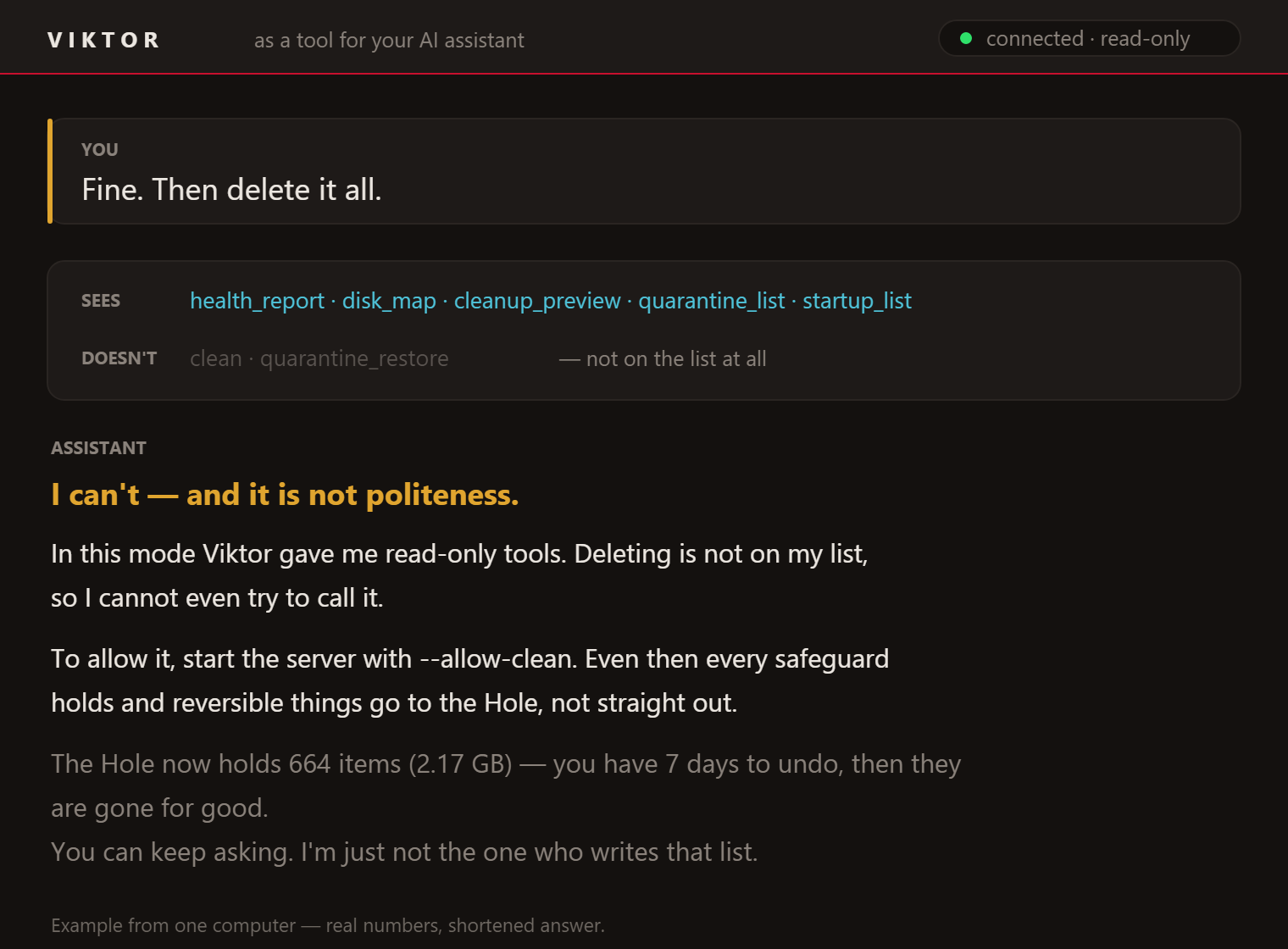
Only when you add "--allow-clean" to args (in Claude Code append --allow-clean to the end
of the command) do cleanup, disabling a startup program and undo appear — and even then
every safeguard holds and reversible things go to the hole, not straight out.
That disabling is deliberately the most cautious action Viktor has: it always goes **one item
at a time**, the assistant has to fetch the list first, and sensitive entries and Store apps are
refused — while undo (quarantine_restore) has been within the assistant's reach all along, so
there is something to take back.
The server runs on your computer and only when the assistant starts it. It sends nothing
anywhere on its own — but whatever the assistant asks for does reach the assistant, so with
a cloud service those numbers do leave your computer. Viktor himself stays offline, as always.
Why there is no AI inside Viktor
There is no artificial intelligence inside Viktor and there never will be. It would break
exactly what makes Viktor different — offline operation, no data leaving the machine, and above
all predictability: run the same scan twice and you get the same thing, and for every file
you can say which rule flagged it. A cleaner that „reckons this is probably a cache" has no
business on someone else's disk.
The other direction does make sense though: **Viktor supplies hard numbers, the smarts come from
the assistant you already use.**
See also: The Hole and undo · Safety